How to never forget a birthday again (without another reminder app)
Stop forgetting birthdays without another reminder app. Night-before draft from your Gmail, morning in their timezone. Free for one person.
You did not forget because you stopped caring. You forgot because the day arrived while you were mid-sprint, mid-commute, mid-everything, and the only thing left in you was a late text with too many emojis.
If you have been searching how to never forget a birthday again, you are probably already drowning in calendar alerts. Another reminder app will not fix that. Reminders tell you the date showed up. They do not write the note, pick their morning, or land in their inbox from your Gmail looking like you meant it.
This post is about what "never forget" actually means, why reminder stacks keep failing, what Gmail can and cannot do on its own, and how a night-before draft loop turns the date into a finished letter.
What people mean when they say "never forget a birthday"
When someone says they want to never forget a birthday, they rarely mean "ping me harder."
A calendar badge cannot do that job. It can only shout. Awareness without follow-through is how you end up apologizing at 10:12pm.
- A message that sounds like you, not a greeting card aisle template.
- Delivery in their timezone, not yours.
- Your address in the From line, so it feels personal.
- A chance to edit before it goes out, so you are not trapped by a bot.
- Year after year, without rebuilding the whole process from scratch every March.
Why reminder apps keep failing the people you care about
The buzz arrives at the wrong moment
You see the alert during standup. You swipe it. You swear you will write something after lunch. Lunch becomes a pile of Slack. By evening you are tired and the blank page feels heavier than it should. So you send a short text. They say thanks. You feel a little smaller than you wanted to feel.
Reminders stop before the hard part
The hard part is not knowing the date. The hard part is finishing a decent letter under pressure. Notes apps, sticky notes, and "remind me tomorrow" loops all stall at the same place: you still have to invent the message when life is loud.
More apps usually mean more guilt
Another install. Another notification. Another place to feel behind when you ignore it. Guilt shows up after the system failed. It is not a fix.
Texts are fine. They are also thin.
A birthday text is better than silence. It is still not the same as a real email that shows up in their morning inbox from you. Texts get buried. Emails sit. The medium changes how the care lands.
If reminders worked as a complete solution, you would not keep searching for how to never forget a birthday. You would already feel done.
What Gmail can do (and where it stops)
Gmail is the right place for the letter to come from. Your voice. Your Sent folder. Your address. The other person sees you, not a noreply brand.
Schedule send
Gmail schedule send is solid for one message this year. Compose, pick a time, done. Next year you dig for last year's draft, guess the hour again, and hope you remembered to schedule before the day arrived. It holds a message. It does not hold "Mom, every March 12" as a recurring object.
Labels, stars, and drafts
Useful for humans who already opened the draft. Not useful as a year-round system when travel, work, and sleep keep stealing the window.
Spreadsheets and Apps Script
A quiet Saturday can produce a sheet of dates and a GmailApp trigger. Then daylight saving shifts. Tokens expire. The template starts sounding like a form letter. Six months later you barely remember how your own script works. DIY is fine if you like owning ops. Most people just want the letter to leave.
So Gmail is the right mailbox. On its own it still is not a relationship follow-through system.
A better definition of never forgetting
Never forget a birthday does not mean "get more notifications."
That last piece matters more than it sounds. A note that lands at 2am their time because you scheduled in your timezone is "on time" on a calendar and still wrong in the inbox.
The outcome you want is a finished letter that leaves. Not another badge that pings.
- People and dates saved once.
- A draft in your voice the night before.
- Edit, regenerate, or kill if the moment feels wrong.
- Send from your Gmail on the day.
- Morning in their timezone as a sane default.
How DontRemember turns the date into a letter
DontRemember (https://dontremember.app/) does one job. It writes and sends birthday, anniversary, and love emails from your own Gmail, in the recipient's timezone (default 8am).
1. Connect Gmail and add the people
Sign in with Google. Add the people who matter and their dates. Free for one person. Unlimited people and dates for $20/year. No card to start.
Gmail only for now, on purpose. Your Sent folder stays the record. You are not inventing a second mailbox or an "on behalf of" brand the other person has never heard of.
2. Night-before draft
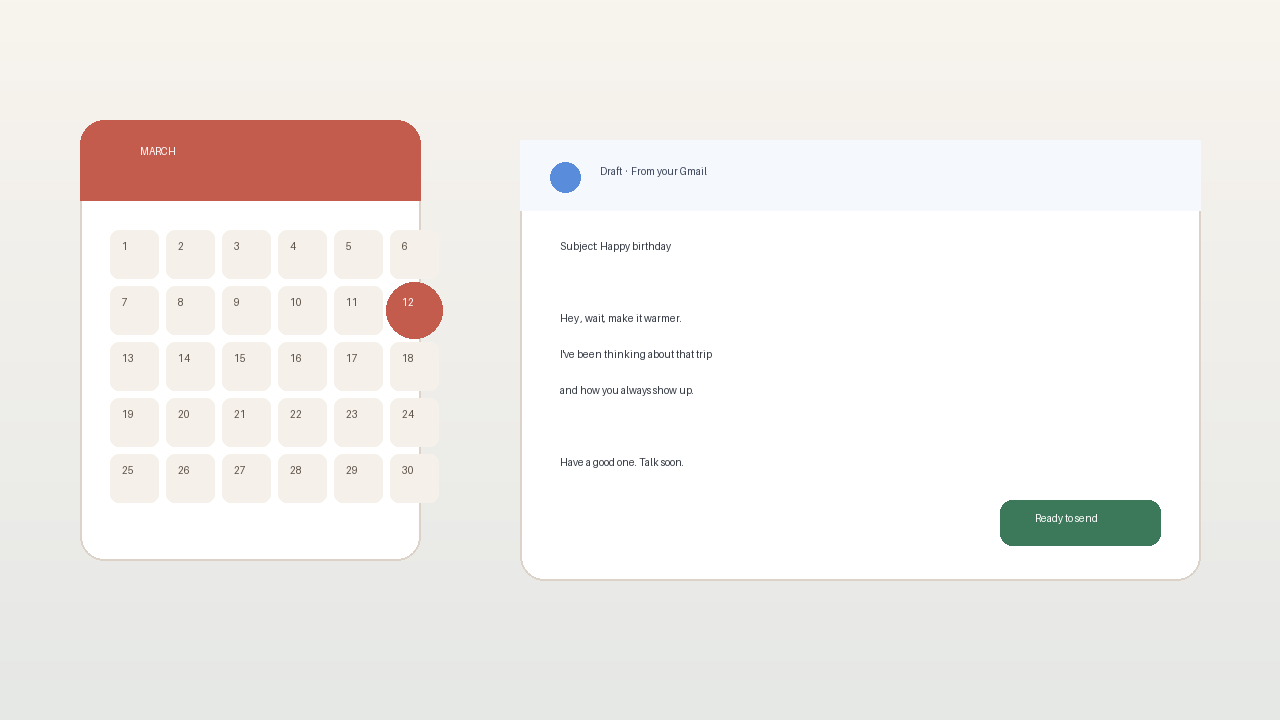
The night before, you get a heads-up with the draft. Edit the wording. Regenerate if it misses your voice. Delete if the moment feels wrong. The AI helps with the blank page. You stay in control.
That window is what reminder apps never quite give you. You see tomorrow's letter while there is still time to make it yours.
3. Send from your Gmail on the day
On the day, the email leaves from your address at a sensible hour in their timezone. It shows up like mail you wrote, because in the ways that matter, it is yours: your account, your Sent folder, your chance to reshape the draft.
Set it once. Trust the loop. Stop rebuilding the same late-night panic every year.
Gmail, privacy, and why "from you" matters
A birthday note that arrives from a noreply domain feels like marketing. The whole point of showing up is that it looks like you.
DontRemember uses the Gmail API to send from your Gmail. Recipients see your address. The send lands in your Sent folder like normal mail. You get the same record you would have if you had typed the note yourself before coffee.
Privacy is not a side note. You grant access so the product can draft and send for the people you choose. That access exists to finish the letter, not to farm your inbox. Night-before review. Edit. Delete. Nothing goes out that you have not had a chance to stop.
Free for one person means you can pressure-test the loop on a real relationship before Unlimited at $20/year makes sense. No card to start means the first experiment is about whether the draft feels like you.
Objections people ask when they want to never forget again
Isn't automating a birthday weird?
Missing the day and covering it with emoji feels worse than a note you actually approved. Creepy is a bot shipping with no review and no veto. DontRemember shows you the draft the night before. You decide.
If a draft feels wrong for the moment, kill it. Control is the point.
Will it sound fake?
Intimacy is remembering and following through. The AI helps with the blank page. You still choose the people, the dates, the edits, and whether it sends. Plenty of thoughtful emails start as rough drafts between meetings. This just makes sure the draft exists before the day arrives.
A corporate template with no review would feel hollow. A letter you shaped, sent from your Gmail, on time, is still yours.
I already use calendar reminders
Then you already know the gap. Calendar apps are excellent at awareness. They are rough at finishing creative work under pressure. Keep the calendar if you want. Add a system that writes and sends.
What about anniversaries and love notes too?
Same loop. Birthdays. Anniversaries. Occasional love notes on a schedule that does not depend on you remembering at 11:50pm. The failure mode is identical: you meant to write something, life got loud, the day passed.
Can't I just schedule send in Gmail every year?
You can. You will also re-do the same work every year: find last year's wording, pick a time, hope you remember before the day. Recurrence is the missing piece. Treating the person and the date as durable beats treating every birthday as a one-off compose.
Start with one person you refuse to forget
You do not need a perfect system for everyone on day one. Pick the one person where forgetting would hurt the most. Connect Gmail. Add their birthday. Let the night-before draft prove whether the loop feels like you.
That is what free for one person is for. When the loop works, Unlimited at $20/year covers everyone else. No card to start either way.
Missed birthdays do not need louder alarms. They need a finished letter that leaves on time.
Try DontRemember at https://dontremember.app/. Connect Gmail, add a birthday that matters, and let tomorrow's draft replace tonight's scramble.
Send the letter.